Two-pass swing segmentation
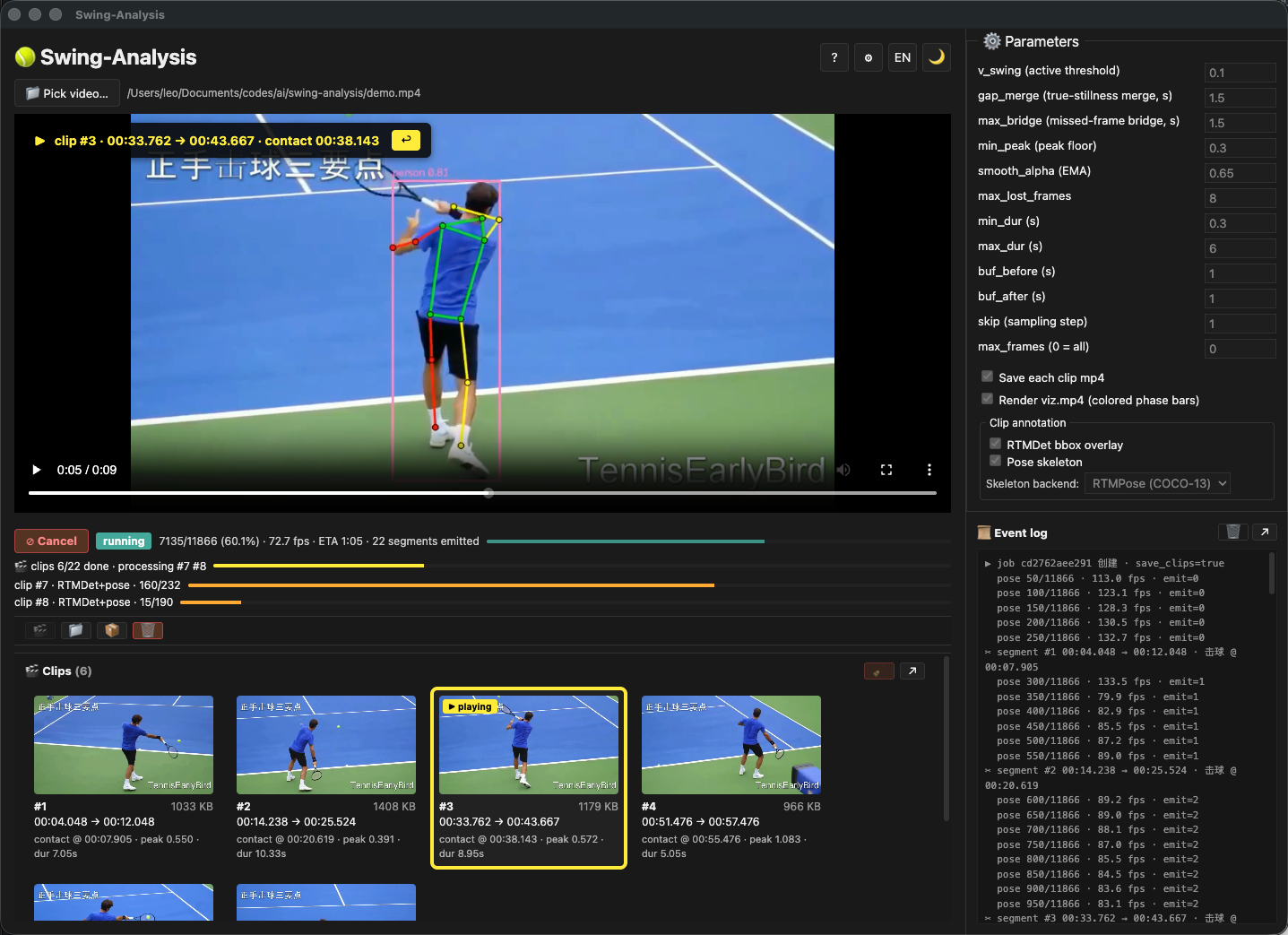
The v2.1 pipeline reads one right-wrist signal to find swing boundaries, then refines them offline. Every segment carries ready, windup, contact and follow-through phases with timecodes.
Desktop · Python + Electron
Swing Analysis · Desktop Swing Segmentation
Feed in a match video. The two-pass pipeline tracks a single right-wrist signal, cuts each swing into its own clip, and labels ready, windup, contact and follow-through with exact timecodes.
Three things it does that scrubbing a timeline cannot.
The v2.1 pipeline reads one right-wrist signal to find swing boundaries, then refines them offline. Every segment carries ready, windup, contact and follow-through phases with timecodes.
Segments appear while pass 1 is still running, so you can start reviewing before the full video finishes processing.
Want to see the body lines on each clip? Two passes to choose from. The **fast pass** paints the skeleton while it cuts — quick and good enough for a first review. The **polish pass** re-renders each clip afterward with a steadier person box and a smoother skeleton — slower, but the kind of cut you'd hand to a student. Both bake straight into the export, no post-processing needed.
Runs on Windows, macOS and Linux. A Python backend plus an Electron GUI, with a CLI for terminal use. The models ship inside the repo, so clone and run works offline.
GitHub will redirect you to the current latest release.
Nothing leaves your machine. The local service binds to 127.0.0.1 only, so the video never reaches a server. Two model families matter here: the wrist tracker that drives swing segmentation (MediaPipe pose, by default, with a MoveNet fallback) and the optional overlay models that paint the skeleton and person box (RTMDet plus RTMPose). The first family is always on, because segmentation depends on it. The overlay family is opt-in and re-renders the clip after segmentation, never influencing where the cuts land.
Yes, but only the segmentation models can. Switching the wrist tracker from MediaPipe pose to MoveNet can shift swing boundaries by a few frames and occasionally split or merge adjacent swings, so the choice matters for fast, jerky matches. Switching the overlay models only changes how each already-cut clip is painted, never where the cuts are.
They are two separate steps. Pass 1 cuts every swing into its own clip using the wrist tracker only, with no overlay drawn. The optional polish pass runs afterwards on the saved clips, re-detecting the person and re-drawing the skeleton and box. Either pass can be skipped, and skipping the polish pass leaves you with cuts but no overlays. Clips are saved to disk between the two passes, so you can also re-run just the polish pass later.
No GPU is required, the whole pipeline runs on CPU. The overlay models are the heaviest step and the main reason a GPU helps when you have one, so turn them off for the fastest first pass on weaker machines. The CLI drives the exact same pipeline, and the local REST plus WebSocket service on port 8321 is open to any front end you want to build on top.